The AI family calendar that can pay for itself.
It keeps watching the flights, hotels and rental cars you have already booked, and tells you when a lower airline fare, room rate or car price shows up, so you can rebook and keep the difference.
Free to start, no card needed. Individual is $79/year for one person with everything; Household is $99/year for up to 6 people.
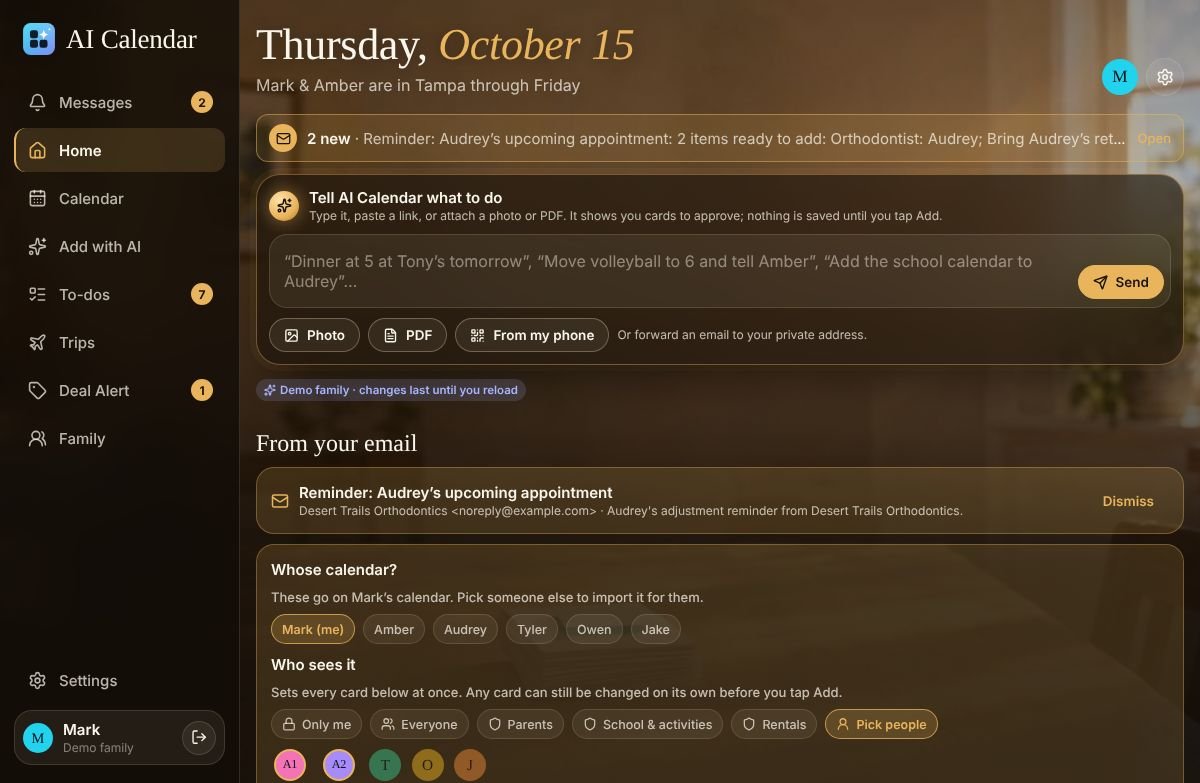
Snap a flyer, forward a school email, paste a PDF: it becomes calendar cards you approve.
Forward an email to your family's private address, take a photo of a practice schedule or a wedding invitation, paste a link or a PDF, or type a sentence. The AI turns it into events, trips and to-dos, picks who should see them, and waits for your okay. A parent can put a schedule on any family member's calendar.
A calendar that tells you when to leave, from live traffic.
Every appointment gets a leave-by time from home, work or your previous event, with your own buffer. On paid plans with live traffic switched on, longer drives are checked against Google's live traffic when they're planned and again before you go, and a message tells you when to leave earlier.
Price drops after booking, on flights, hotels and rental cars.
Deal Alert watches the bookings already on your calendar. When a fare, room rate or car price drops enough to matter, it tells you exactly what to do: a refund inside the first 24 hours, an airline credit later, a refundable room or pay-at-pickup car rebooked at the new price.
Questions people ask
- Does AI Calendar work with Google Calendar and Outlook?
- Yes. Two-way sync with Google Calendar and Outlook (Microsoft 365), a read-only feed for Apple Calendar, and the calendar already on your phone. A work calendar can come in as “Busy” only, so the family sees that you're busy without seeing the meeting.
- What counts as an AI schedule import?
- Anything the AI has to read: a forwarded email, a photo of a flyer, a PDF, a link, or typed text. Paid plans include 100 a month. Calendar invites and booking confirmations with exact markup (most airlines, hotels, OpenTable, Ticketmaster) are read without AI and never count.
- Can I put an imported schedule on my kid's calendar instead of mine?
- Yes. When you add a schedule, a “Whose calendar?” chooser lets a parent put it on any family member's calendar they can edit for. Nothing is saved until you tap Add on each card.
- How do leave-by times work, and is live traffic on by default?
- Every drive gets a leave-by time from home, work or your previous event, with a buffer you set in minutes or as a percentage. Live traffic is a paid feature you switch on: drives over 8 miles are checked against Google's live traffic when planned and again shortly before you leave; shorter drives use an estimate.
- If my flight price drops after I book, do I get cash back?
- Usually airline credit, not cash. Inside the first 24 hours after booking, U.S. rules let you cancel and rebook for a full refund; after that, most airlines reprice a fare into a credit for future travel, and some fare types can't be changed at all. Deal Alert tells you which applies and the steps to take. It doesn't rebook for you.
- Does Deal Alert watch hotels and rental cars too?
- Yes. A refundable hotel room can be rebooked at a lower rate, and a pay-at-pickup rental car can usually be cancelled and rebooked for free. Deal Alert checks the bookings already on your calendar and shows the steps when a drop is worth acting on.
- What does the Free plan include?
- One person's calendar: events, trips, to-dos, booking confirmations with exact markup, calendar invites and published calendar links. The Free plan includes one AI import a month to try it. Deal Alert, live traffic, 100 AI imports a month and the family come with Individual ($79/year) and Household ($99/year, up to 6 people). The demo family shows all of it without an account.
- Who can see my family's calendar?
- Only the people you add to your household, and only what their sharing groups allow: parents, kids, school, work and rentals each decide who sees an event. We don't sell your data or use your calendar to target advertising, and you can delete your account from Settings at any time.
Plans
One person's calendar: trips, to-dos, bookings you type in, one AI import a month to try it, and a look at how the family version works.
Everything, for one person: Deal Alert, 100 AI imports a month, leave-by times with live traffic, schedule emails.
The whole family, up to 6 people ($5/year each beyond that), with the AI reading everyone's emails, photos and PDFs.